BRRRFRAME
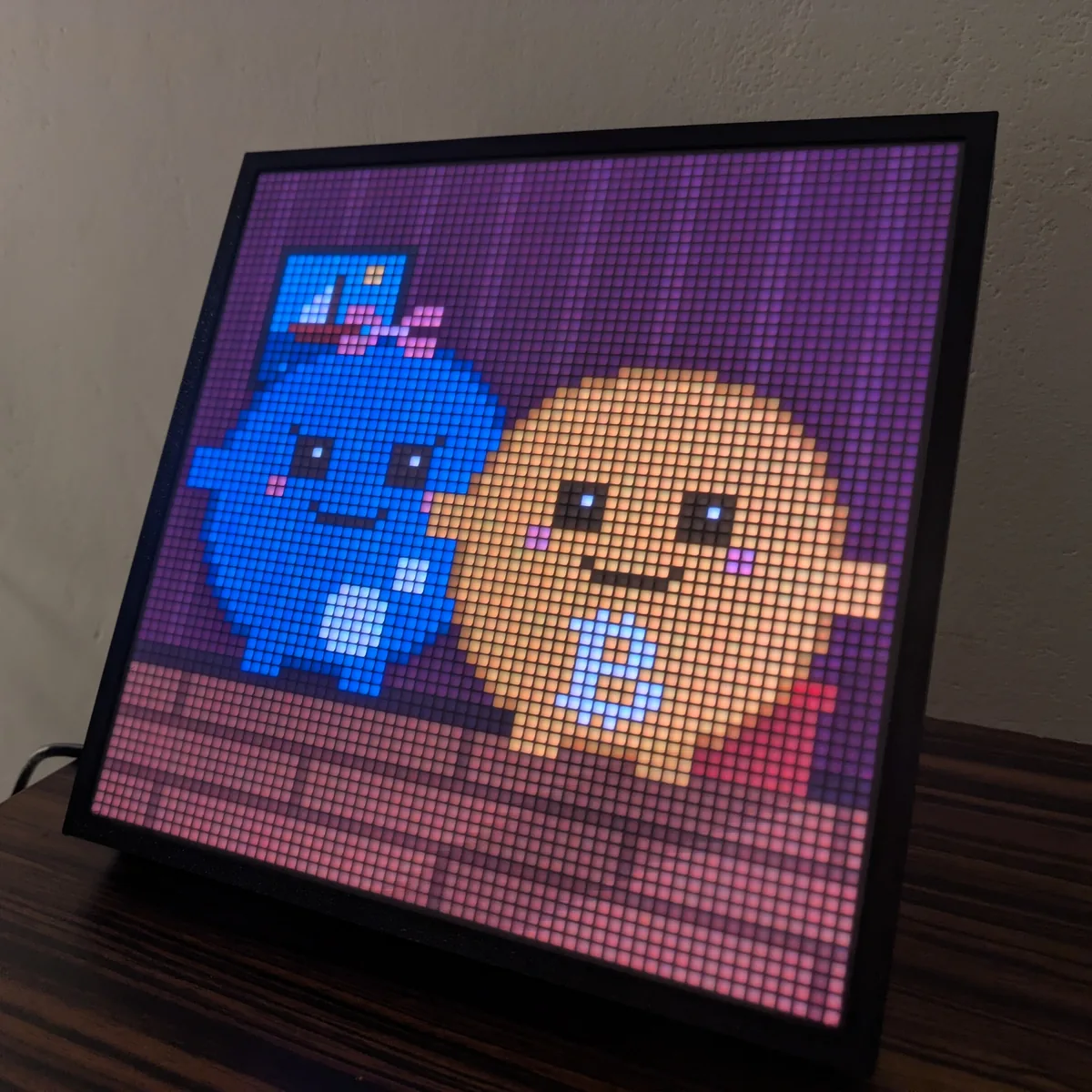
A 64 × 64 LED frame for your wall. Bitcoin price, weather, a clock - or an app you dream up.
- 64 × 64
- RGB LED
- Wi-Fi
- apps from the catalog
- Lua
- your own scripts

How it works
- Plug it inOn first start the frame opens its own Wi-Fi and shows its name and password on the display.
- Connect it to your Wi-FiJoin the frame network with your phone, open 192.168.4.1 and pick your network. No account, no phone app.
- Pick appsOpen the BRRRSTORE tab on the frame, or find an app in the catalog on the web and install it by ID.
Apps
The BRRRSTORE catalog has 22 apps. The names are as in the catalog.
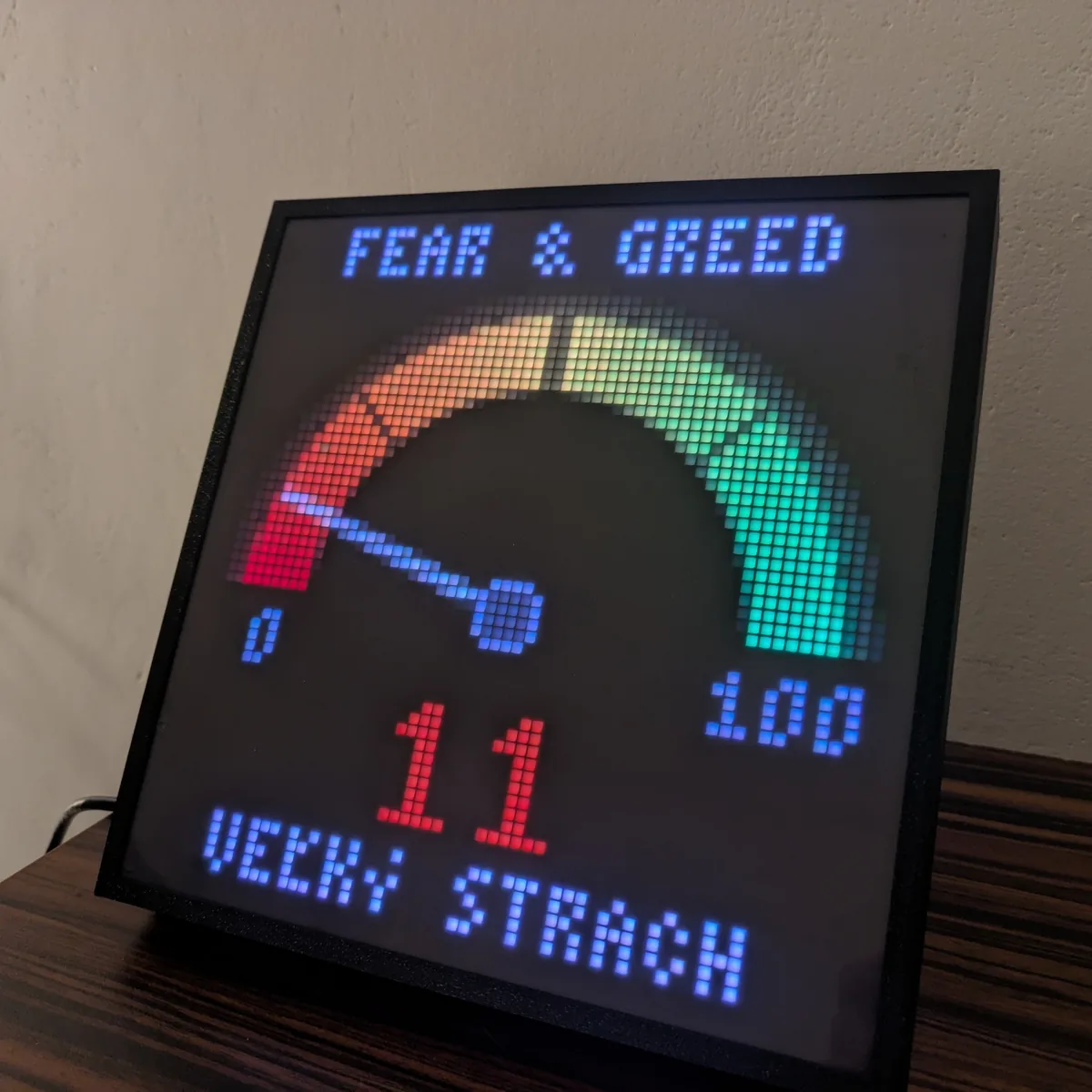
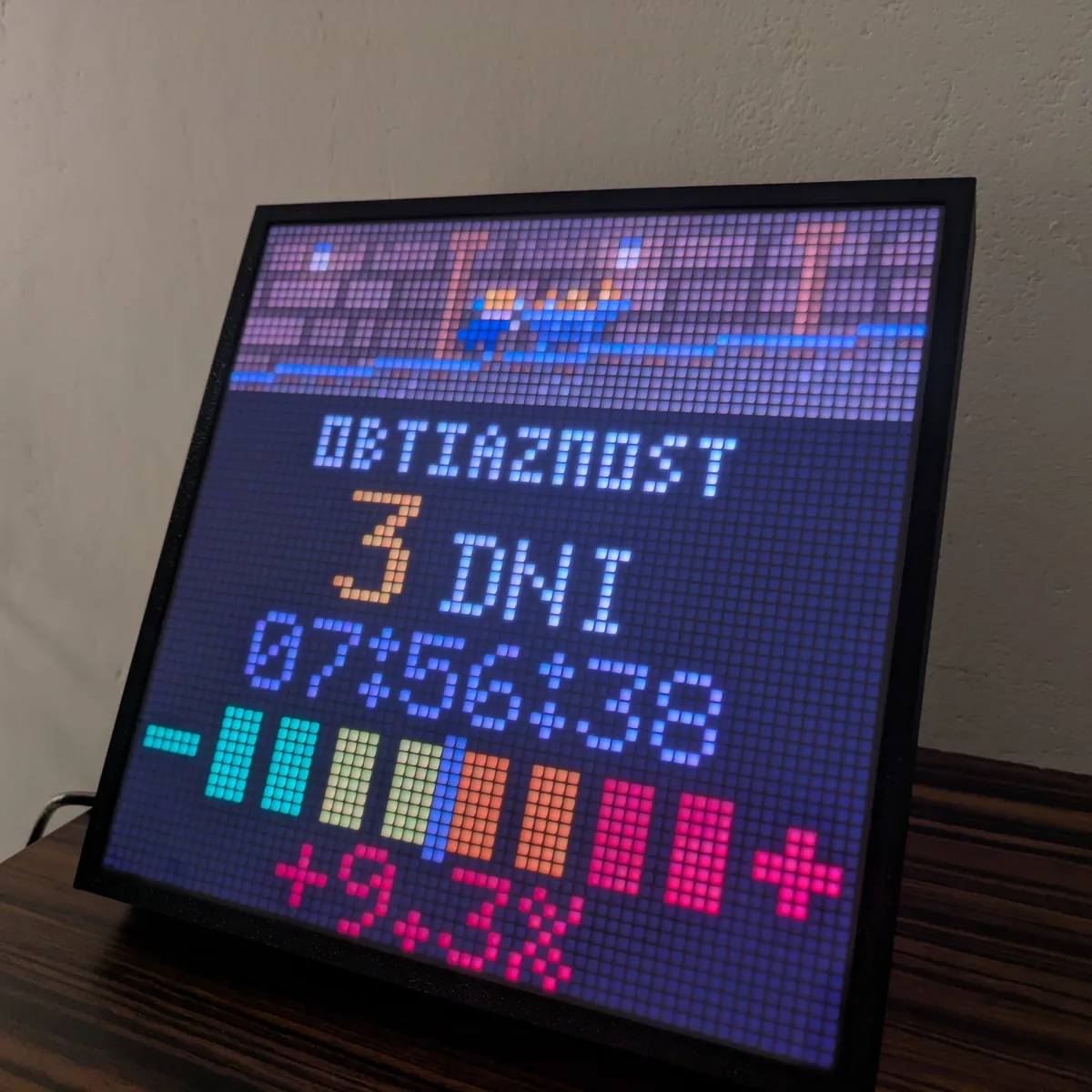
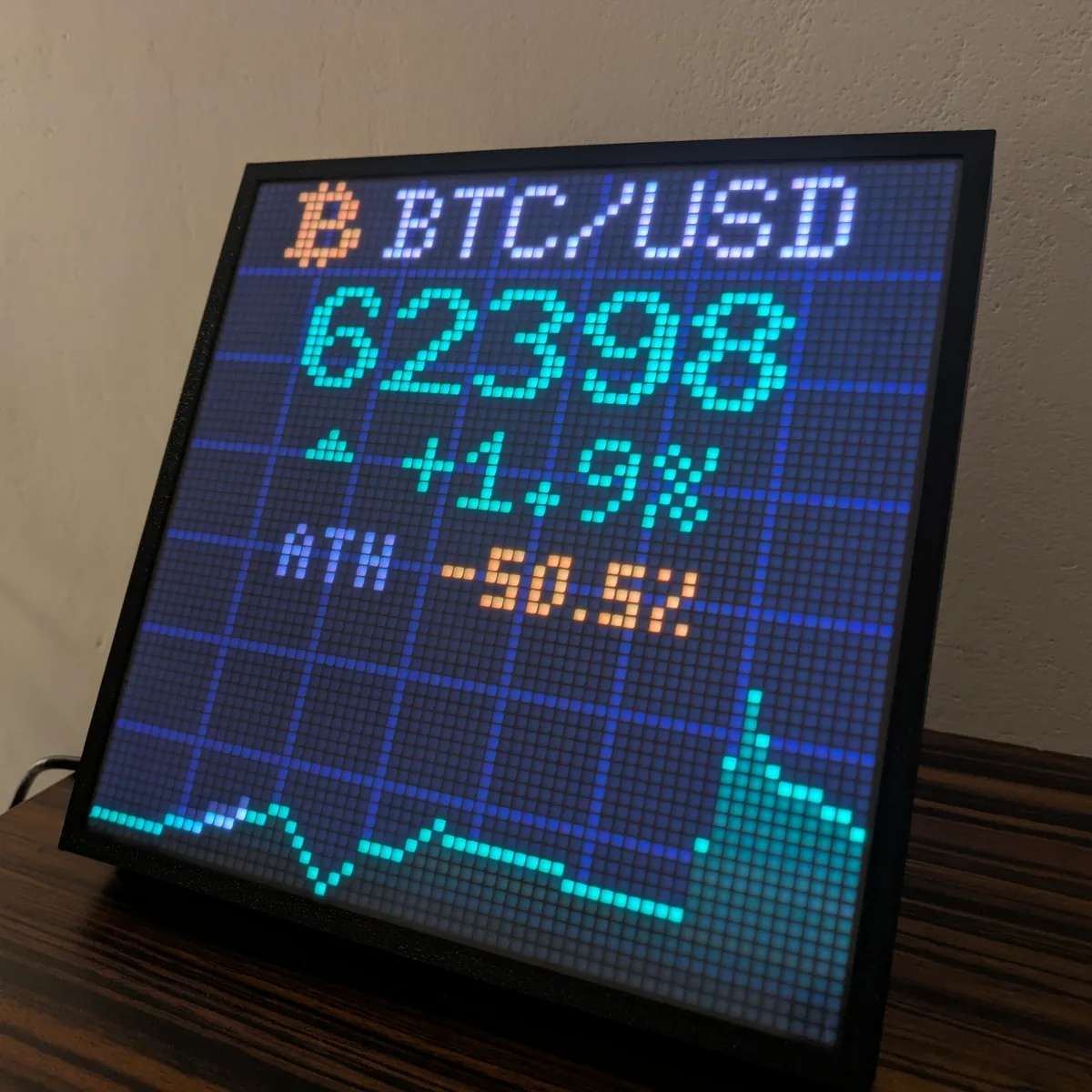
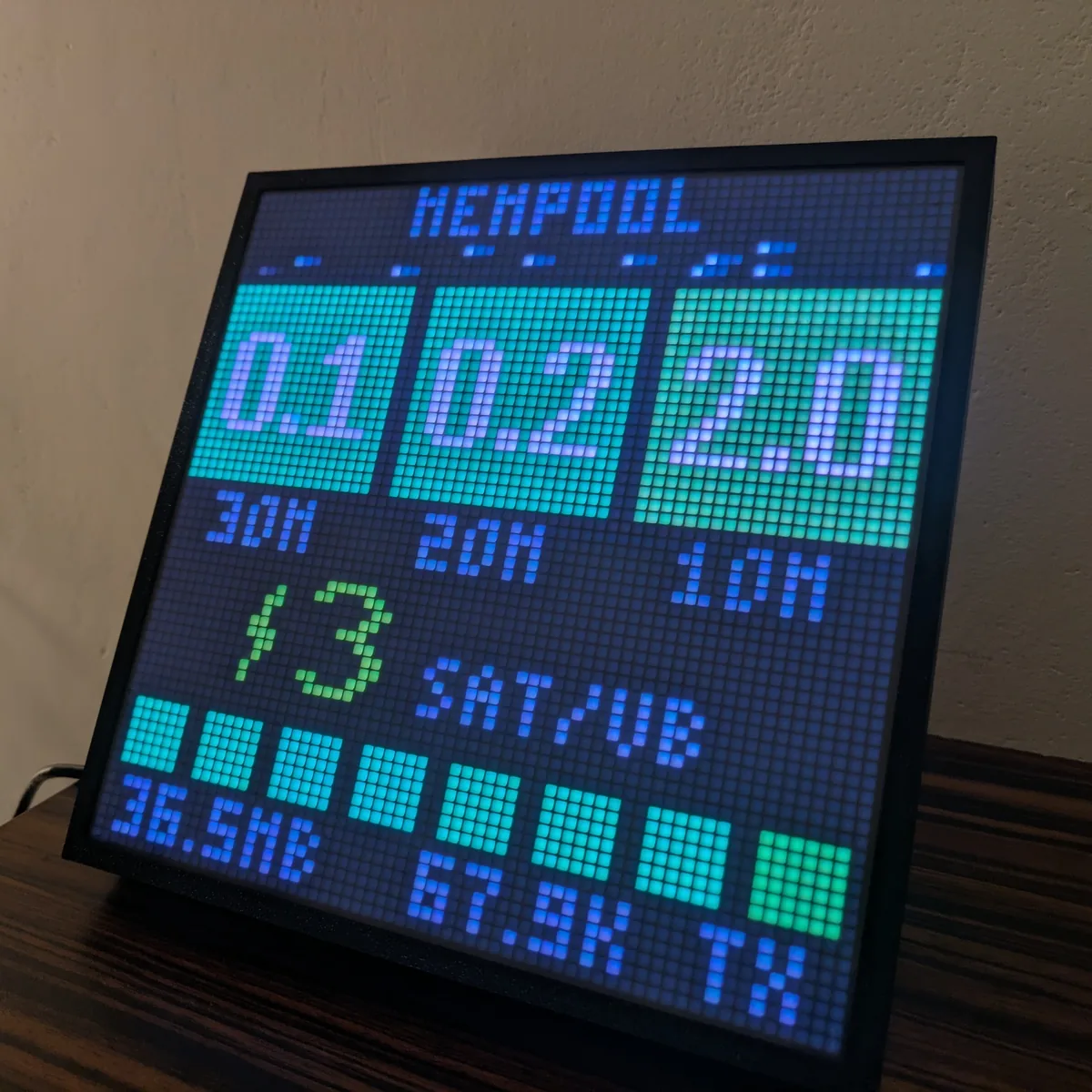
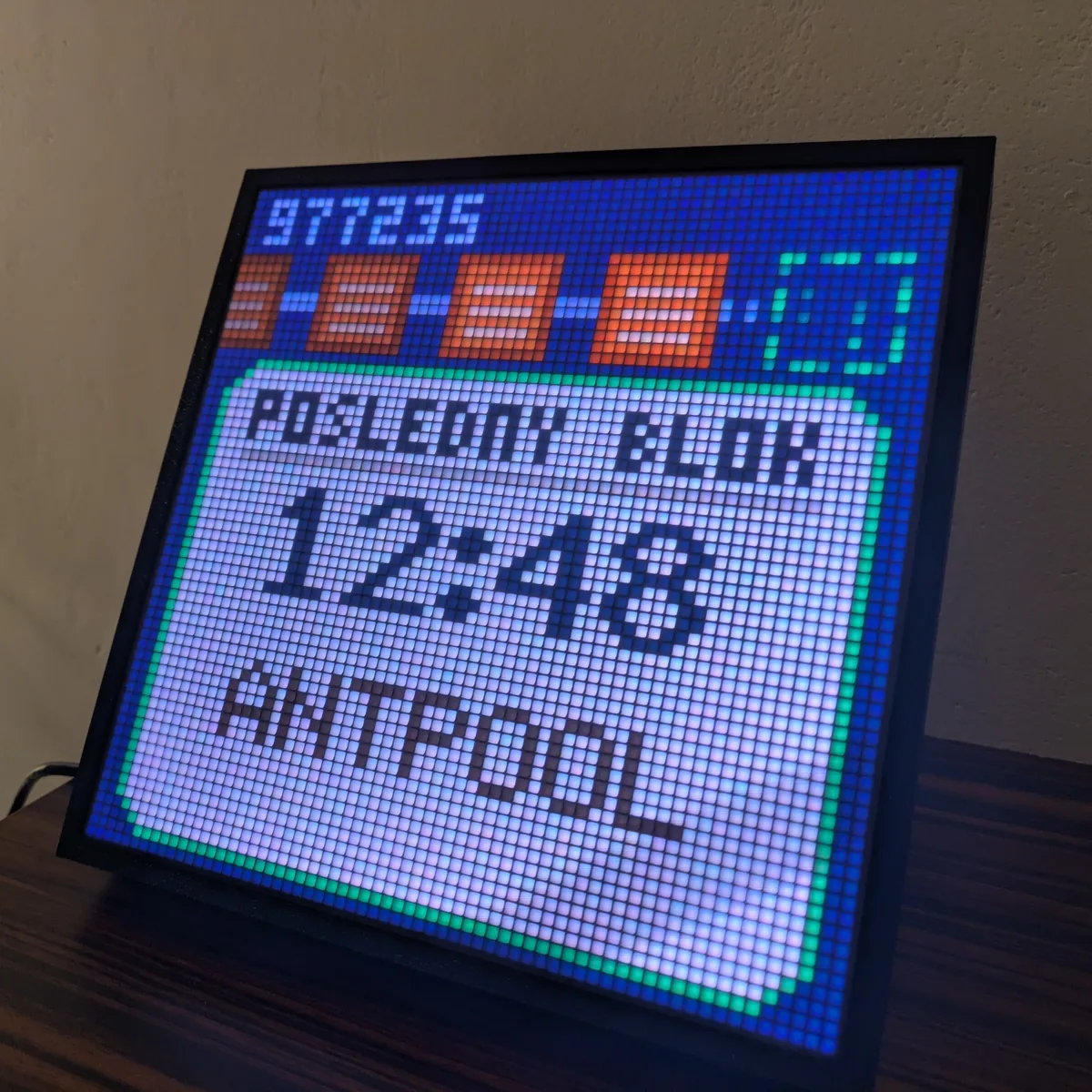
- Bitcoin BTC price (the price in your chosen currency, every minute; green when it rose over 24 hours, red when it fell), Moscow Time (how many sats a dollar buys, written as a clock - 1952 sats = 19:52), Fear & Greed, Halving (countdown to the next halving), Difficulty (time to the difficulty adjustment and its estimate), Last block (time since the last block), Mempool (the next blocks with fees in sat/vB), Lightning (network capacity over a live network where payments take random routes), CKPOOL (your solo mining on ckpool - hashrate, shares, best share).
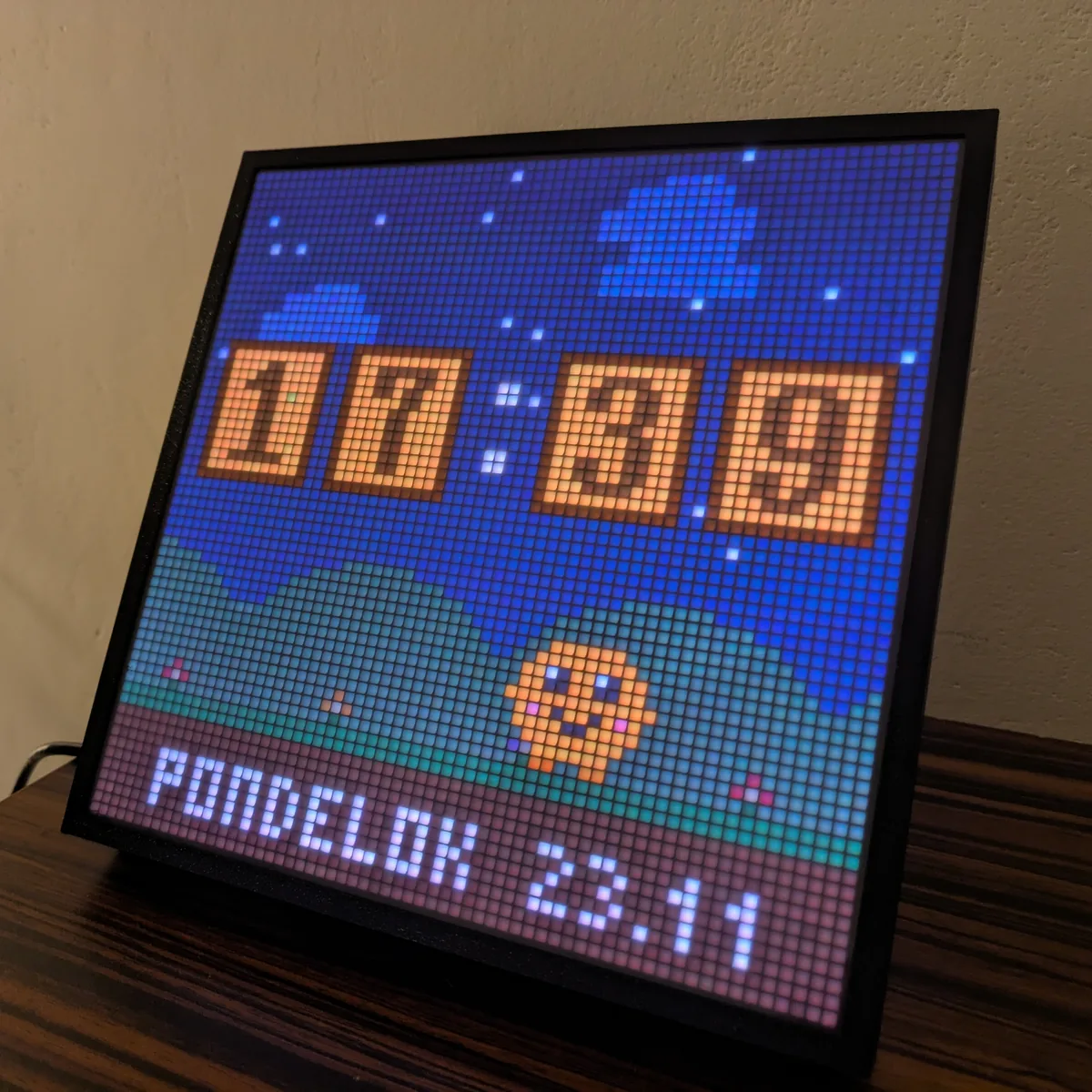
- Clocks City clock (a city under a sky that follows the real day: morning, a red sunset, night with the moon and lit windows), Neon clock (a neon sign over a night city after rain), Nixie clock (four glass nixie tubes), Flip (a flip clock like from the 70s or an airport board), Photo clock (a big time over your pictures).
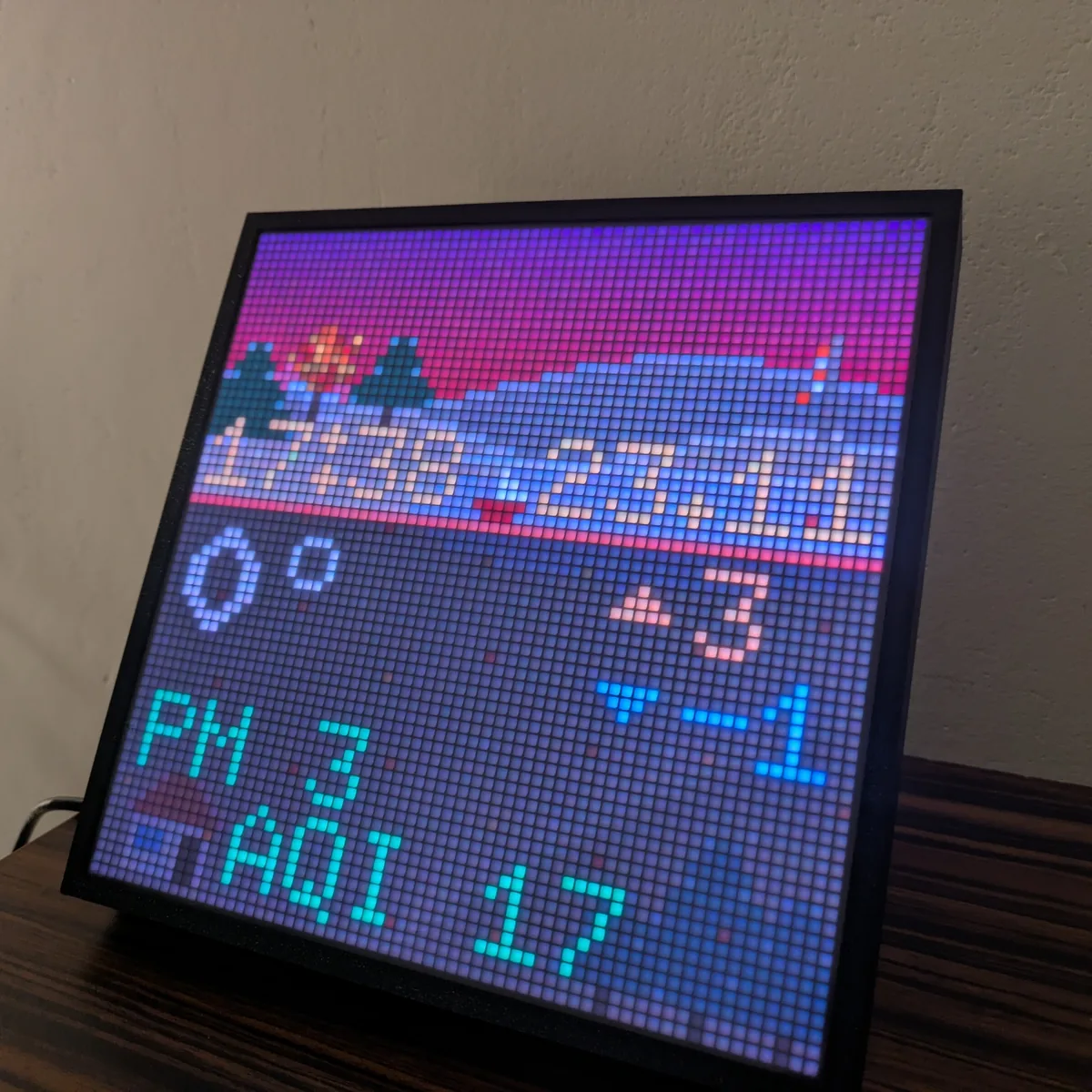
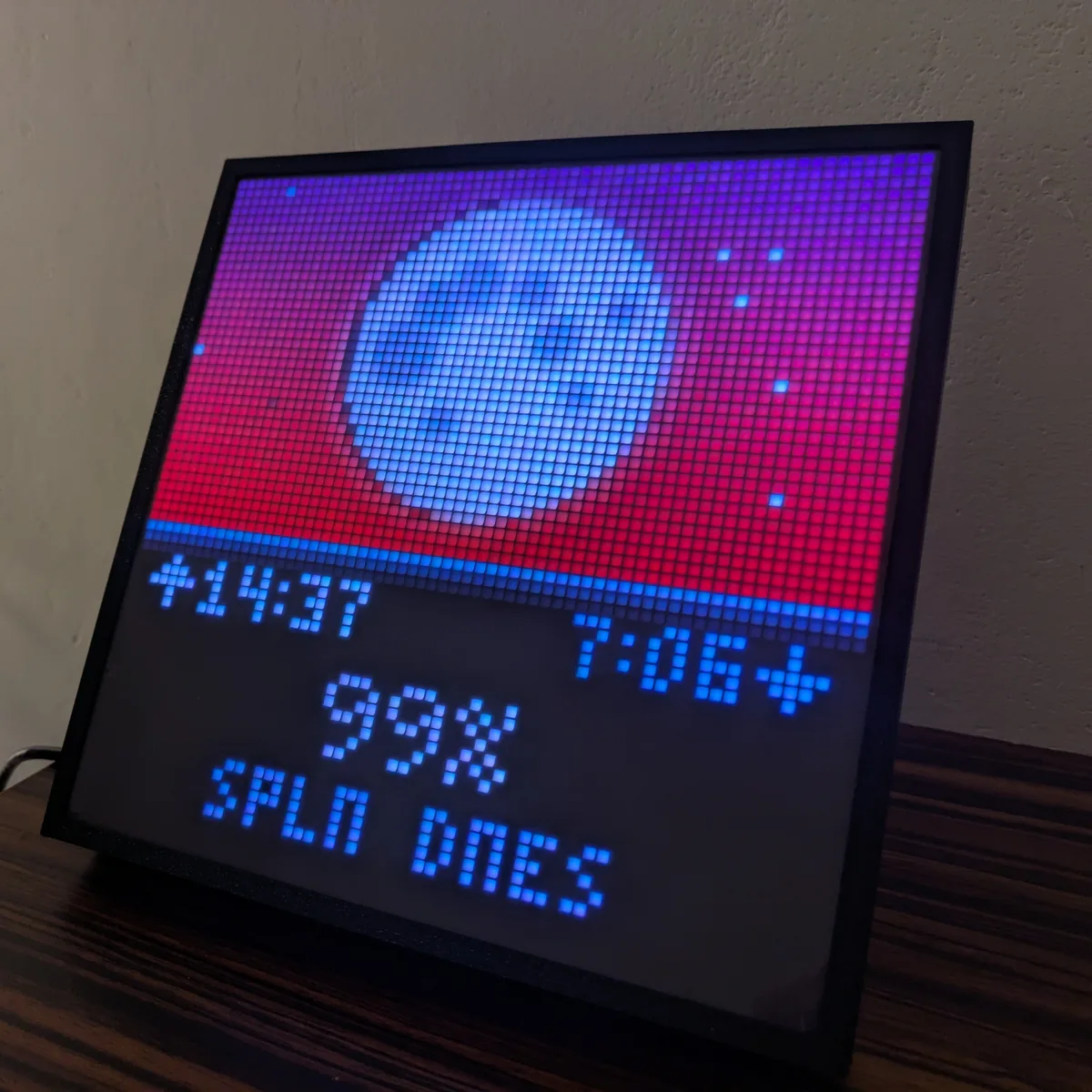
- Weather & sky Weather (weather and air quality; a landscape by time of day, season and weather - the sun or the moon in its real phase, clouds with wind, rain, snow, fog, lightning), Forecast (a 3 or 6 day forecast), Sky (sunrise, sunset and day length), Moon (moon phase, moonrise and moonset). The frame computes Sky and Moon itself, so they work without the internet too.
- More Images (your pictures one after another, with crossfades), Text (your own message - a name for the door, a greeting, a note for the family; typed out like on a typewriter), Light (the frame as a lamp: white, warm, night light, for plants, fewer insects, for sleep or your own colour) and a falling-blocks game you control by tilting the frame - you hold it like a tray.
The data comes from public sources (for example Binance, mempool.space, Open-Meteo, alternative.me). Apps are grouped into profiles - a set of apps in order that can rotate on their own, each with its own time.
Images
- Lua images 567 animated scenes in the catalog, for example fire, a plasma ball, northern lights, lava, an aquarium, a city in the rain, snowfall and the night sky.
- Your own pictures and animations upload them in the web interface; they are converted to 64 × 64 right in the browser and the preview shows exactly what the panel will. Clicking a picture shows it on the frame.
Controls
- Two buttons on the board a click belongs to the app (for example paging), a hold switches the app.
- Tilt and tap the frame has an accelerometer; apps can react to tilt, a tap and a shake.
- Brightness by the sun from your location the frame computes sunrise and sunset: full brightness during the day, less in the evening and at night, with smooth transitions.
- Schedule switches the profile or turns the picture off by time and day of the week (for example overnight).
- Picture off only the panel goes dark, Wi-Fi and the web keep running; a button or the web wakes it.
Web interface
The frame has its own page on your home network - from your phone or computer, no app needed: a LIVE view of the panel with buttons, apps and profiles with settings, pictures, the BRRRSTORE catalog, the Lua manager, frame status and a console. The frame and the page are in Slovak, Czech and English. You can lock the page with a password, and back up and restore settings. New firmware comes over Wi-Fi - uploaded from the page or from the internet (off by default; it can just notify, or also install); if a new version fails to start, the frame goes back to the previous one.
Your own apps in Lua
Write your own app with AI. No programming needed. Describe it in Claude, ChatGPT or any other AI you use. The prompt examples show what to tell it to get a script for BRRRFRAME.
An app is a Lua script. It declares its own data sources and settings and shows up on the frame without a firmware change. What it touches (pictures, tilt, location, brightness) it must say up front - what it does not declare, it does not get, and the interface shows this for every app.
Apps are short scripts in Lua - AI writes them well and you can read them too.
Privacy
No cloud and no account. The frame only calls the sources declared by installed apps, and the time (NTP); updates only when you turn them on. The BRRRSTORE catalog is read by the browser, not the frame. Location is stored only to ~1 km. In "local network only" mode or with Wi-Fi off, nothing goes out.
Under the hood
- Panel
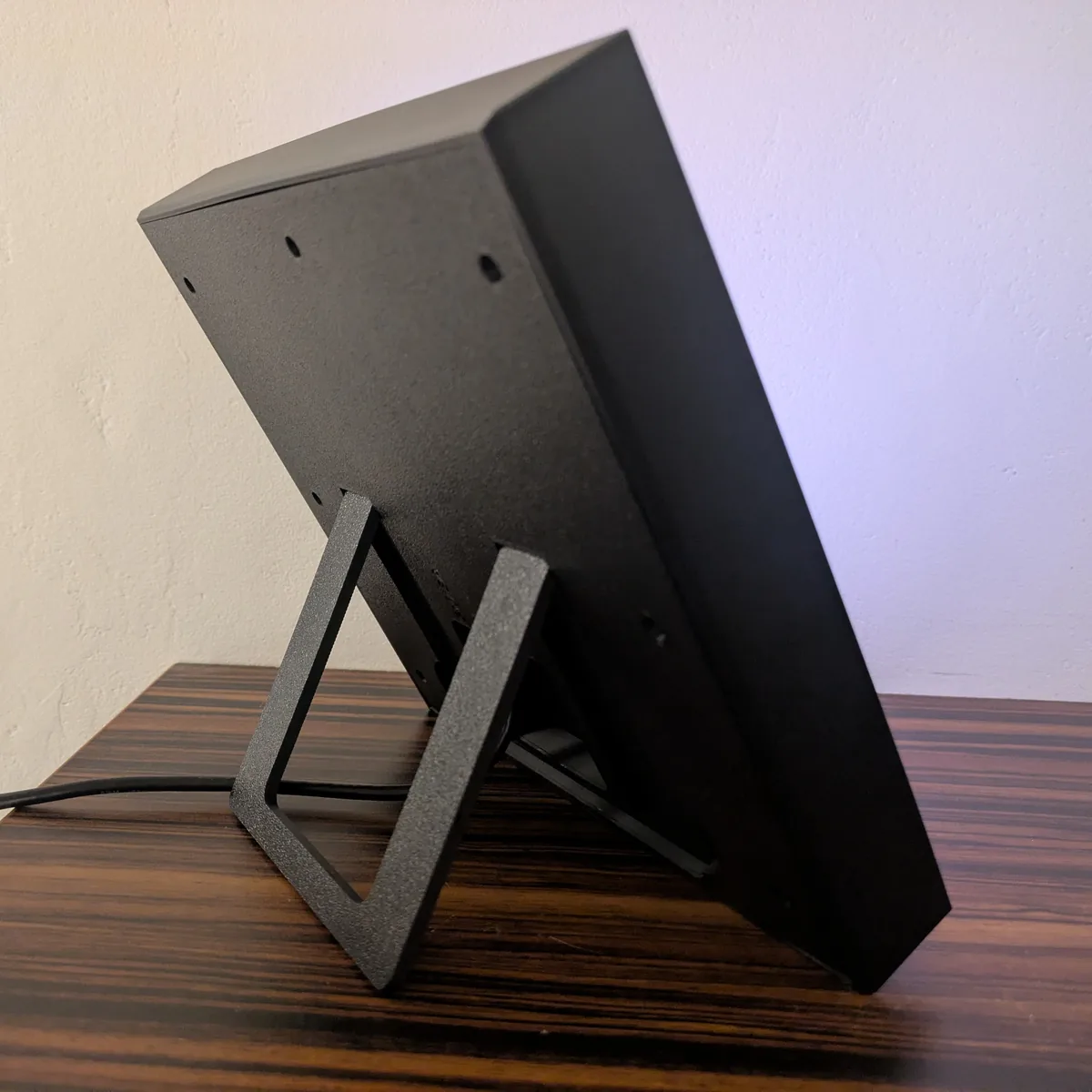
- 64 × 64 RGB LED (HUB75), 3 mm pitch - visible area 192 × 192 mm
- Optics
- a 4 mm black grid (each pixel in its own cell), diffusion and tint film, acrylic
- Controller
- Adafruit MatrixPortal S3 - ESP32-S3, 8 MB flash, 2 MB PSRAM
- Sensor
- accelerometer - tilt, tap, shake
- Controls
- two buttons on the board and a page in the browser
- Connectivity
- Wi-Fi, controlled from a browser on your home network
- Power
- USB-C 5 V (3 A supply)
- Apps
- Lua scripts from the catalog or your own
- Updates
- firmware over Wi-Fi
No cloud, no account
You control the frame from a page in your browser on your home network. Apps from the catalog need no account.
Still in the making
Both the hardware and the firmware are still changing. For now the frame is a working prototype.